Payment Link

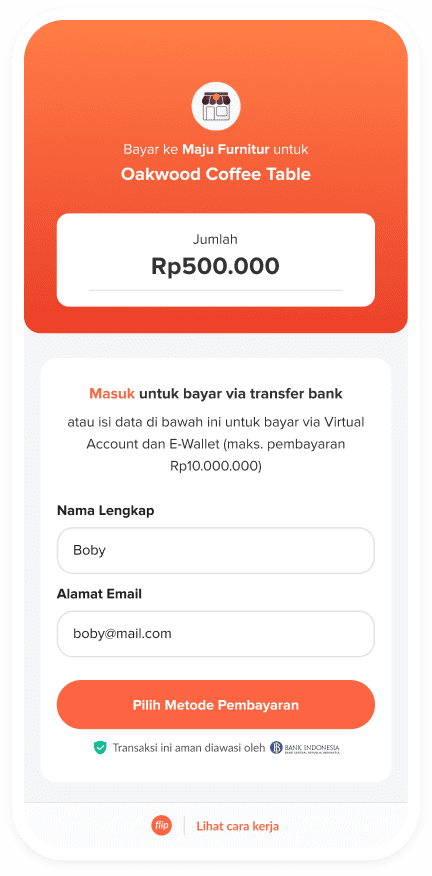
Accept Payment on Flip Dashboard
You can create a payment link to accept payments from your customers directly through the Flip dashboard. This service is ideal for businesses across various sectors, such as e-commerce, freelancing, education, and event management, where quick and convenient payment collection is essential. With a simple payment link, businesses can easily collect payments without the need for complex integrations or additional setups. Currently, there is only one method available for creating a payment link on the dashboard, which is the Single Input method.
Prerequisites
- Access to Flip Dashboard: Ensure you have access to the Flip Dashboard.
- User Role: Accept Payment menu can be accessed by all roles, except Customer Service and Deposit Admin.
Create Payment Link
- Open Menu: Navigate to
Accept Payment->New Payment Link->+ Add New Payment.
- Create Payment:
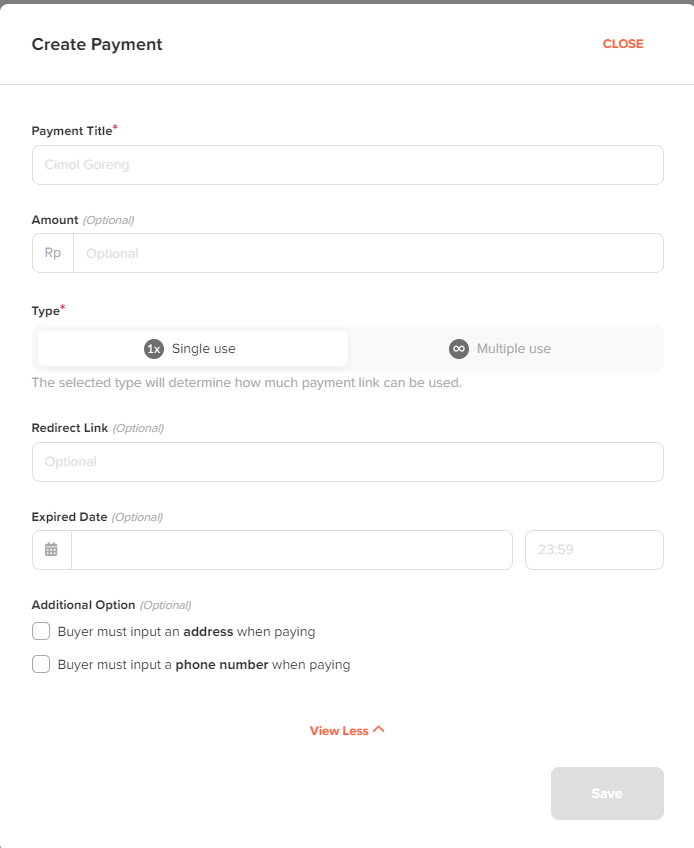
- Input Payment Details:
- Payment Title
- Payment Amount : Leave this field blank if you want your customers to be able to enter any amount they wish to pay.
- Type: This refers to the Bill Type. The possible values are "single" or "multiple." "Single" means the link can be used for payment only one time. "Multiple" indicates that the payment link has no expiry and can be used multiple times.
- Redirect Link : To redirect your customer after they finish payment in Flip's checkout page.
- Expired Date : To set expiry date for each payment link.
- Share Payment Link: You can share the payment link with your customer, allowing them to complete the payment process.

- Transaction History: After your customer completes the payment, you can view the status in the Payment History menu, where you can track and check the status of your transactions.
