Flip for WooCommerce
Elevate your WooCommerce store with Flip for Business, Innovative payment product designed for seamless transactions in Indonesia. Flip for WooCommerce is a robust plugin that integrates Flip's secure and efficient payment processing directly into your WordPress e-commerce site. With this plugin, you can offer your customers a smooth, reliable payment experience without ever leaving your store.
Key Features
- Seamless integration with WooCommerce
- Support for various payment methods including Virtual Account, Flip bank transfers and e-wallets
- Real-time payment status updates
- Customizable payment interface
- Secure transaction processing
- Support for both Test Mode and Live Mode environments
Requirements
- WordPress 6.2 or higher
- WooCommerce 7.7 or higher
- PHP 7.4 or higher
- Flip API Secret Key Test Mode (Sandbox) for testing. Live Mode for Production
- Download Flip plugin for WooCommerce: flip-woocommerce.zip file
How to Install
Manual Installation
- Log in to your WordPress admin panel
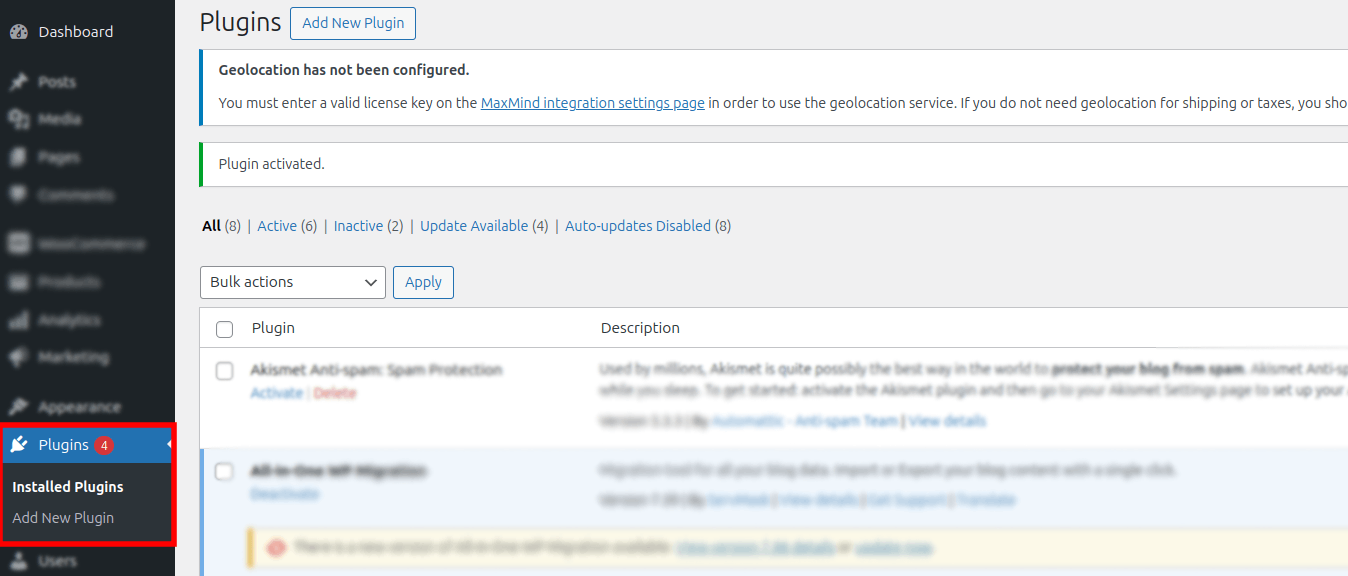
- Navigate to Plugins -> Click Add New Plugin -> Upload Plugin
- Click Choose File and upload the downloaded
flip-woocommerce.zipfile and click Install Now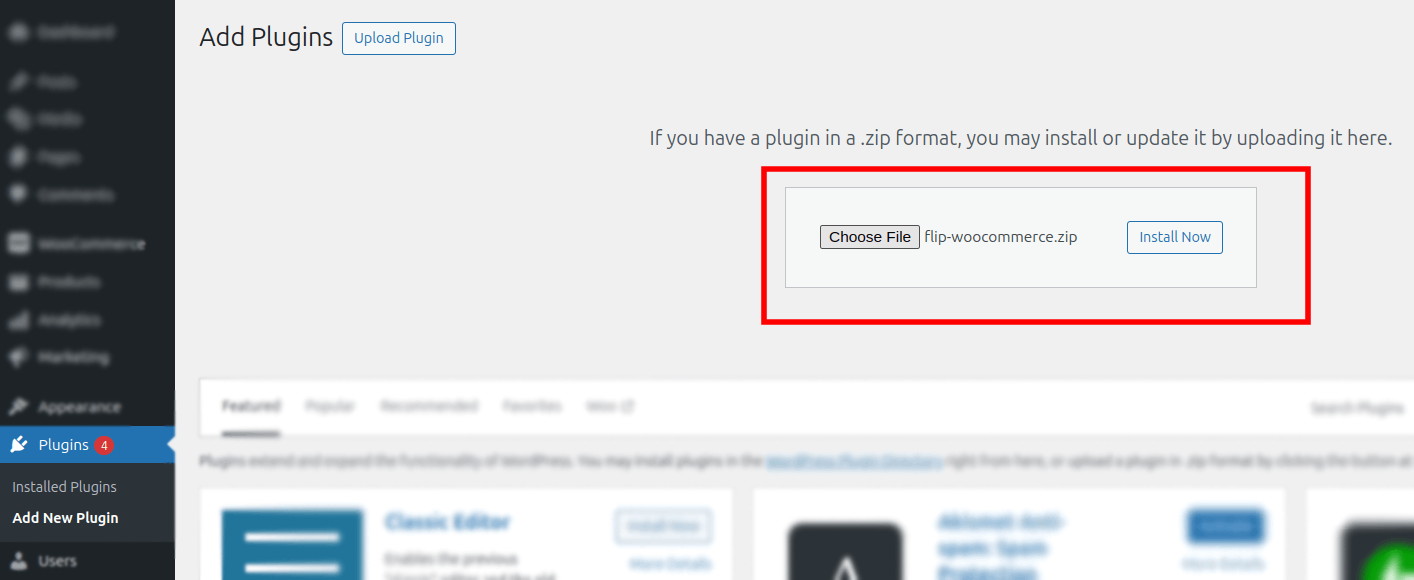
- After installation complete, Activate Flip WooCommerce Plugins by Find Flip-WooCommerce and click "Activate"
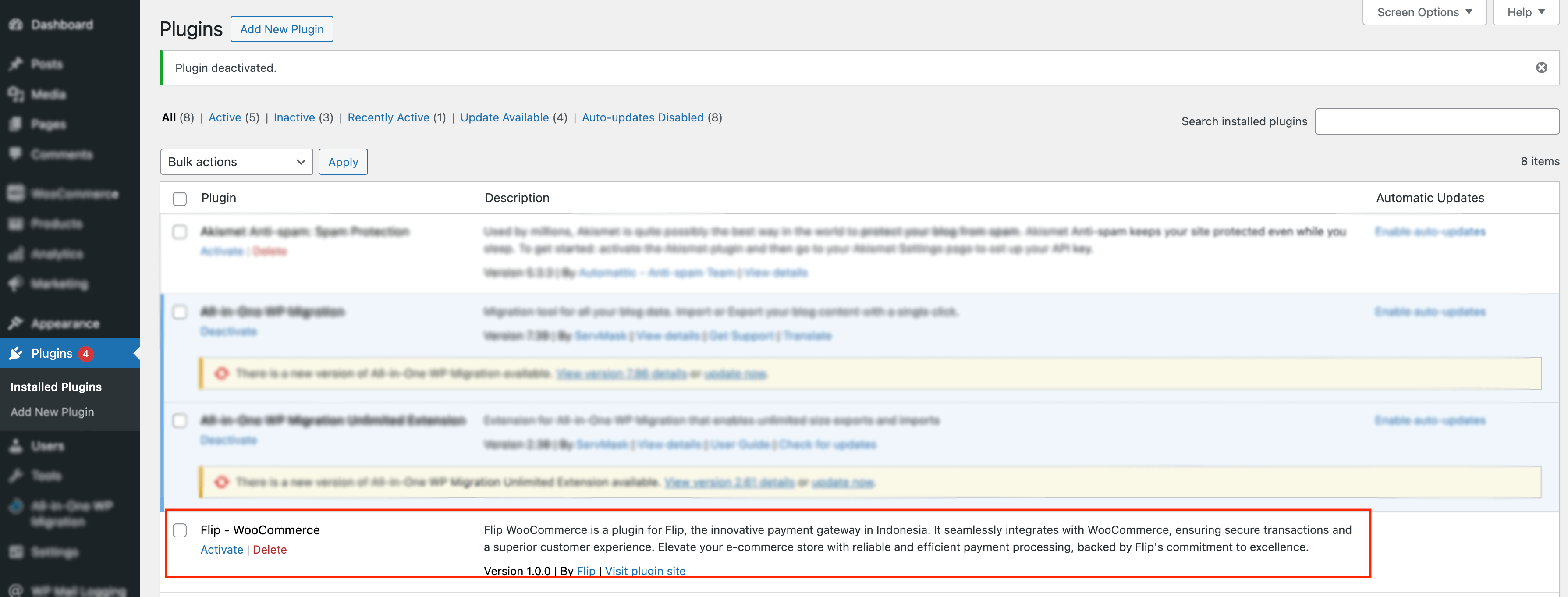
- Once the plugin is active, next you need to setup the plugin by following the step by step bellow
Plugin Payment Configuration
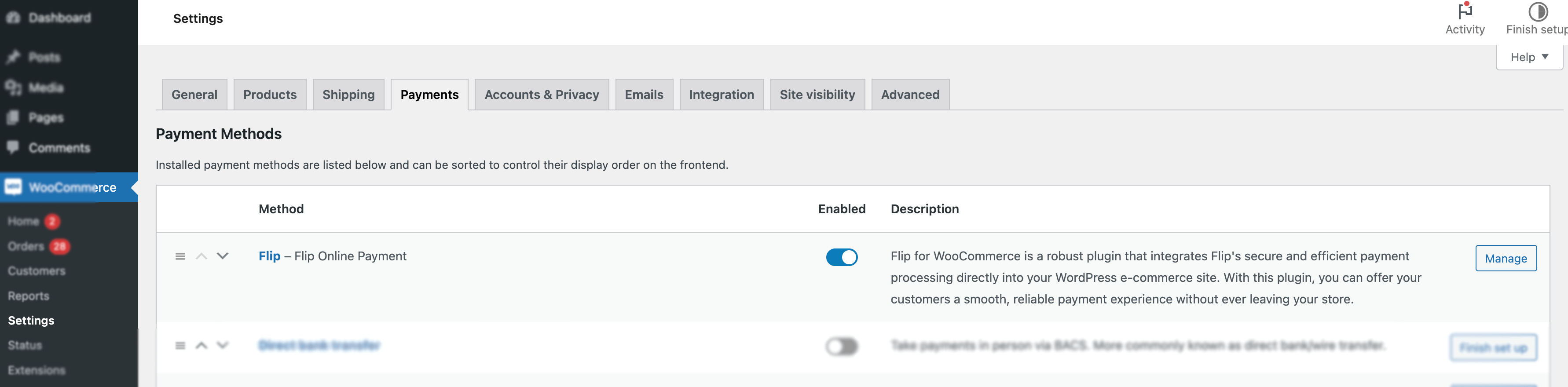
To configure the Flip-WooCommerce plugin, navigate to WooCommerce -> Settings > Payments > Flip – Flip Online Payment. Then click "Manage" and follow these steps:
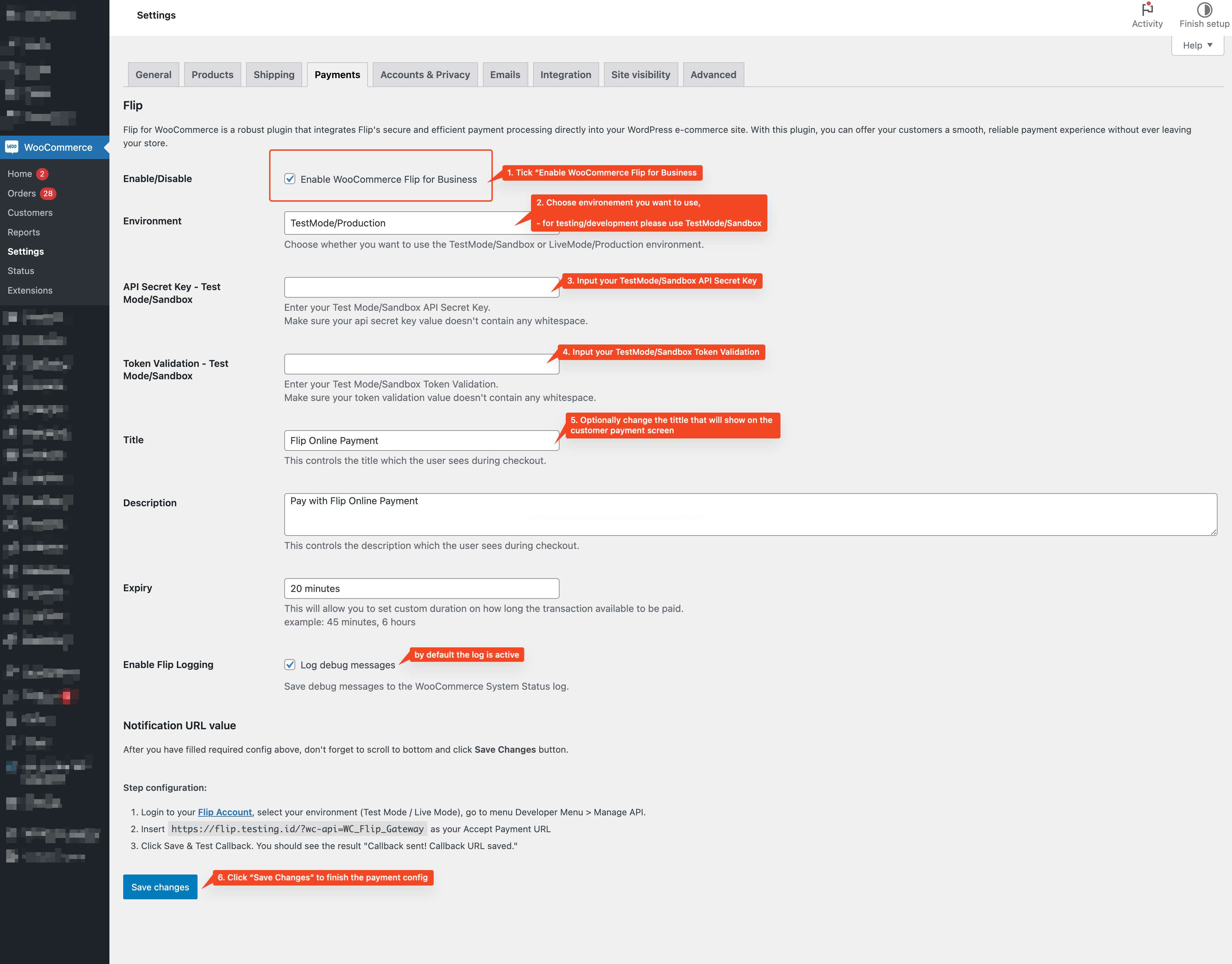
- Tick Enable WooCommerce Flip for Business
- In the Environment dropdown, select the appropriate option: TestMode/Sandbox for testing transactions or LiveMode/Production for live transactions.
- Enter your Flip API Secret Key
- Enter Flip Token Validation Key
- Optionally, you can customize the Title, which will be displayed as the payment method title to customers during checkout.
- Click button Save Changes
Plugin Callback Webhook Notification Configuration
To ensure that your WooCommerce store receives real-time notifications for payment status updates, configure the callback webhook as follows:
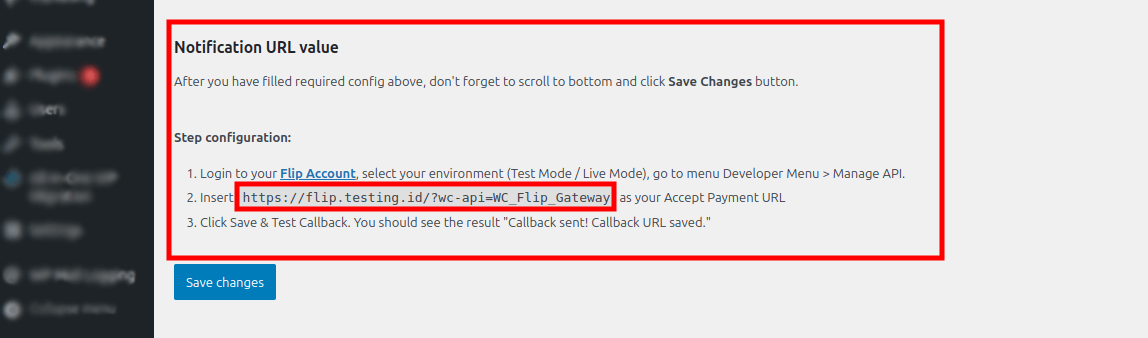
- Obtain the Webhook Callback URL:
From your WooCommerce store, retrieve the webhook URL by going to- WooCommerce -> Settings -> Payments -> Flip – Flip Online Payment. Copy the URL provided in the Flip WooCommerce plugins settings section Notification URL Value
- Navigate to the Manage API menu on Flip Dashboard:
Log in to your Flip merchant account and go to the Webhook Settings page. - Set up the Callback URL in the Flip Dashboard: Paste your WooCommerce callback URL into the "Callback URL for Accept Payment" field under the "Manage API" menu in the Flip dashboard.
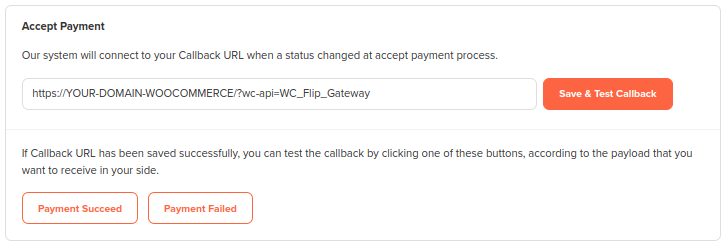
- Update Configuration: Click Save & Test Callback. The confirmation message will be displayed.